
Blog
Google Business Profile for small business
When someone searches for “coffee near me”, “tyre shop downtown” or “dentist by the station”, the first thing they see is not a list of websites. It is a map with three businesses, their ratings, opening hours and a “Directions” button. For a coffee shop, salon, garage, clinic or neighbourhood store, that block often decides […]
- 5 November 2026
- 16 min read
Articles
Google Business Profile for small business
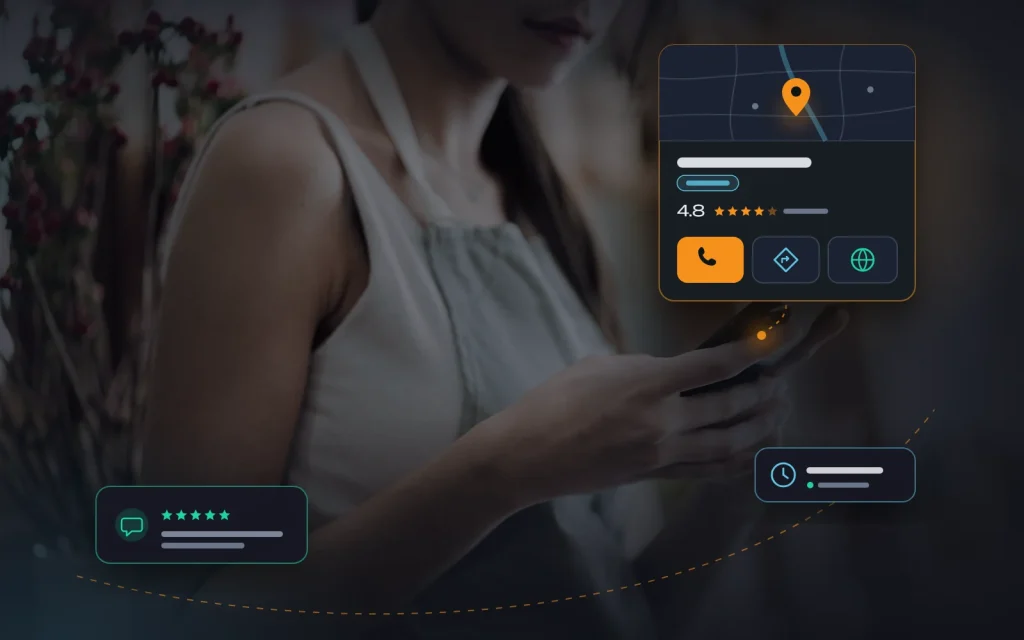
When someone searches for “coffee near me”, “tyre shop downtown” or “dentist by the station”, the first thing they see is not a list of websites. It is a map with three businesses, their ratings, opening hours and a “Directions” button. For a coffee shop, salon, garage, clinic or neighbourhood store, that block often decides where the customer goes. And there is only one way into it: Google Business Profile, formerly known as Google My Business.
At most small businesses that come to us, the profile was set up in a hurry years ago, the category was picked at random, the photos are old phone shots, nobody replies to reviews, and the phone number is out of date. Below is how we set a profile up for local SEO, step by step: from creation and verification to categories, photos, reviews, posts and consistent contact details (NAP) across every platform.
What local SEO is and how Google picks businesses for the map
Local SEO is the work of making sure people nearby can find you: in the map block within regular search results (often called the “local pack”) and directly in Google Maps. For a small business it is the shortest path from a search to a phone call: people see your rating and photos, tap “Call” or “Directions”, and may never visit your website.
Google openly names three groups of factors it uses to rank local results:
- Relevance: how well the profile matches the search. Categories, services, the description and your website content all feed into this.
- Distance: how far the business is from the searcher, or from the location mentioned in the query. You have almost no control here, which is exactly why inventing a “convenient” address is a bad idea.
- Prominence: how well known the business is. That covers the number and quality of reviews, mentions on other websites, links, and how your site ranks in regular search.
The key takeaway: you cannot pay for a place on the map (ads there are labelled separately), and tricks like stuffing keywords into your business name give a short-lived boost followed by the risk of suspension. What works is a complete, honest, active profile backed by a solid website. That is how we approach every project.
Step 1. Creating and verifying the profile
Start by checking whether a profile already exists. Google sometimes creates listings automatically, and former employees, customers or a previous contractor may have added one. If your business is already in Google Maps, claim that listing rather than creating a duplicate.
What we recommend when setting it up:
- The business owns the profile, not the contractor. Create it under a company Google account the owner has access to. Give marketers and agencies the manager role. More than once we have helped clients recover a profile that “disappeared” along with a former social media manager.
- Choose the right business type. If customers come to you (a café, shop or salon), show your address. If you go to them (a plumber, courier service or cleaning company), choose a service area and hide your home address. You can combine both if you have a location and also travel to customers.
- Complete verification. Google offers the method itself: phone call or text, email, a video recording of the location, a live video call, or a postcard. For video, plan to show your signage, the entrance, the work area, and documents or equipment that prove you operate there. An unverified profile shows in a limited way or not at all.
- Do not register virtual offices or mail-drop addresses. Google’s guidelines require a real location where you serve customers during business hours. Profiles with fake addresses get suspended regularly, and reinstating one is far harder than setting it up correctly the first time.
If you have several locations, each needs its own profile with its own address, phone number and opening hours. Google lets chains manage them as a group, but every location’s details still have to be its own.
Step 2. Name, categories and description
This is the foundation of relevance. Mistakes here cost more than any shortcomings with photos or posts.
Business name
The name on the profile must match your real-world name: on the sign, in your registration documents and on your website. “Lavender Flower Studio” is fine. “Lavender Flowers Delivery Cheap 24/7 Best Florist” is not. Keywords in the name break Google’s guidelines: competitors can suggest an edit, and the profile can be restricted. We have seen listings lose all impressions until the real name was restored.
Categories
The primary category is one of the strongest signals in local search. Pick the most specific option, not the broadest: “Dental clinic” rather than “Medical centre”, “Tyre shop” rather than “Auto repair shop”, if that is your main line of business. Additional categories describe other services you genuinely provide, but there is no point adding everything that looks vaguely related.
How we choose categories in practice:
- we search Google Maps for the main customer queries and note the categories of the top three businesses;
- we compare them with what the business actually does and earns most from;
- the primary category reflects the main revenue source; two to four additional ones cover related services;
- after a change we watch the profile’s search statistics for two to three weeks instead of switching weekly.
Description, services and attributes
The description can be up to 750 characters. Put the most important information first: what you do, who you do it for, which area or city you serve, and what makes you different. No capital-letter shouting, links, promotions or comma-separated keyword lists. Write it the way you would explain your business to a customer on the phone.
Next, fill in services or products: each item separately, with a short description and, where possible, a “from” price. These are extra relevance signals, and customers instantly see you offer what they need. Do not skip attributes (wheelchair access, Wi-Fi, card payments, parking): some appear right on the listing.

Opening hours are often underrated. Wrong hours mean someone turns up to a locked door and leaves a negative review. Add holiday hours in advance, and if you close temporarily, mark it in the profile instead of deleting it.
Step 3. NAP: the same details everywhere
NAP stands for Name, Address, Phone. Google cross-checks these details against what it finds on your website, in directories, on social networks and on other maps. When they match, the search engine is confident it is the same business. When one place lists an old number and another spells the street differently, trust drops and customers call a dead line.
| Where the details appear | What to check |
|---|---|
| Website | Footer and contact page as real text, not an image; a separate page for each location |
| Google Business Profile | Your reference point: everything else is checked against it |
| Social networks | Company pages on Facebook, Instagram and any other networks you use |
| Maps and navigation apps | Apple Maps, Bing Places, Waze, which are often forgotten |
| Industry directories | Local business directories, niche platforms in your field, review sites |
Our NAP rules are simple. One format for the address and phone number, used everywhere. The main business number as the primary one on the profile, with any call-tracking number added as secondary. After a move or a new number, we list every place the details appear and update them all in one go.
On the website we add LocalBusiness structured data with the same name, address, phone number and opening hours, embed a map on the contact page, and make sure the address is readable as text. This is part of the basic technical work we covered in “On-page SEO basics”.
Step 4. Photos and videos that sell
Before calling, people scroll through the photos: the entrance, the interior, the finished work, the people who will serve them. A profile with no photos, or three blurry ones, loses to a competitor even with the same rating.
The minimum set we ask clients to prepare:
- Exterior and entrance from several angles, so the place is easy to spot from the street.
- Interior: the main room, workstations, the waiting area.
- The team at work: real people, not stock photos.
- Products or results: dishes, bouquets, finished repairs, before-and-after shots where appropriate.
- Logo and cover image, recognisable and consistent with your website and social profiles.
- A short video of 15 to 30 seconds: a walk through the space or the work in progress.
Shoot in daylight, in landscape orientation, with no text overlays. Add a few new photos every month, especially after changes to the interior or range. We cannot confirm the myth that “geotagged photos boost rankings”; spend the effort on quality and consistency. Irrelevant customer photos can be reported for review.
Step 5. Reviews: how to get them and how to reply
Reviews affect both your prominence and the customer’s decision. Regularity matters as much as count and rating: a few fresh reviews each month beat a hundred from three years ago.
Most happy customers do not leave reviews simply because nobody asked them to. Here is what works in our projects:
- A direct link to the review form. You can get it from the profile and send it after a purchase or appointment via WhatsApp, Viber, Telegram, SMS or email.
- A QR code at the till, on the receipt, on the table or on a business card, so the customer scans it and lands straight on the form.
- A spoken request at the right moment: when the customer has just thanked you, collected their order or seen the result.
- The same request to every customer, not just the ones who will “definitely give five stars”.
What you must not do: offer discounts or gifts in exchange for Google reviews, ask friends and staff to write reviews “as customers”, or buy reviews. All of this violates the guidelines: such reviews get removed, and the profile can be restricted. And people are good at spotting unnaturally glowing praise anyway.

Reply to every review, positive and negative. For a good one: say thank you, mention something specific (“so glad your mum loved the bouquet”) and invite them back. For a negative one, follow a simple pattern:
- Thank them for the feedback and acknowledge the problem, without excuses or sarcasm.
- Briefly explain what happened, if that is appropriate.
- Offer a solution and move the conversation to a private channel: a phone call or a messenger.
- Once it is resolved, add a short note about it to your reply.
Every future customer reads your reply, not just the reviewer. A calm, specific response to criticism often persuades more than a dozen five-star ratings. If a review is clearly fake, abusive or about another business, flag it and keep your public reply polite while it is checked.
Step 6. Posts, updates and staying active
You can publish updates on the profile: news, offers, events, new products or services. We do not see posts having a significant direct effect on rankings, but they keep the profile alive, give people a reason to get in touch right now, and add an action button such as “Call”, “Order” or “Learn more”.
What a small business can post:
- seasonal offers and promotions with clear dates;
- new products or a new service, with photos;
- events: a workshop, a tasting, an open day;
- changes to opening hours, especially before holidays;
- short practical tips related to your line of work.
One or two updates a week is plenty, or at least a few a month. Link posts to relevant site pages with UTM tags to see how much traffic the profile sends. If booking or menu features are available for your profile, connect them: every step taken inside the listing shortens the path to a sale.
Step 7. Connecting the profile to your website
The profile and the website strengthen each other. Google treats your site’s rankings as part of prominence, and someone clicking through from the listing should find the same address, prices and a booking button.
- Point the profile link to the page for that specific location, or to the homepage if you only have one, with UTM tags.
- A separate page for each location with unique copy, photos, opening hours, directions and reviews, not a copy of another page with a different address.
- Local terms on the site: city, neighbourhood and landmarks wherever they fit naturally into the text.
- The mobile version: most clicks from the map come from smartphones. More on that in “Succeeding with mobile-first indexing”.
- Speed: someone standing on the street with a phone will not wait for a heavy site to load. This is part of our website speed optimization work.
How to measure results
The profile’s performance section shows how often the business was found, for which searches, and how many calls, direction requests, website clicks and bookings followed. We review it monthly against the same month last year, since local businesses are often seasonal.
| Metric | What it tells you | Where to find it |
|---|---|---|
| Search terms | Which words people use to find you, and whether new ones appear | Profile performance |
| Calls and directions | Direct actions that are closest to a purchase | Profile performance, call tracking |
| Website clicks | How many people want to learn more | GA4, via UTM tags |
| Reviews | New reviews per month, average rating, share with a reply | The profile itself |
Check your main queries monthly from different parts of town, as local results can differ between neighbouring districts. But the real measure is enquiries and sales, not the spot on the map.
Seven mistakes we see most often
- Keywords in the business name. A short-lived boost, then a restricted profile.
- Duplicate profiles after a move or change of ownership, splitting reviews and impressions.
- A primary category that is too broad, so the profile does not appear for specific searches.
- Different phone numbers and addresses on the website, the profile and social media.
- Reviews left without replies, especially negative ones that sit there for months.
- Bought or “in-house” reviews that get removed, taking your credibility with them.
- A profile owned by the contractor’s account, which the business loses access to when the contractor leaves.
What this looks like in practice
A typical case: a flower studio in a residential neighbourhood with great bouquets and loyal regulars, but new customers mostly arrive via Instagram. The profile has the category “Store”, three photos, an old phone number and twenty unanswered reviews. The website spells the street differently and has no text contact page.
We switch the primary category to “Florist”, add “Flower delivery”, rewrite the description, list services with “from” prices and upload fresh photos of the shopfront and bouquets. We align NAP everywhere, add LocalBusiness markup, set up an automatic review request after each delivery and answer every old review. Then: two updates a week and a monthly look at the statistics. Results depend on the area and competition, so we never promise “number one in a week”, but growth in calls and direction requests usually shows within a few months.
Profile setup checklist
- One verified profile, owned by the business.
- The name matches the sign, with no added keywords.
- A precise primary category; additional categories match real services.
- Description, services, attributes and opening hours fully completed.
- NAP identical on the website, profile, social networks, maps and directories.
- Photos of the exterior, interior, team and products, with new ones added monthly.
- A regular review request process in place, with a reply to every review.
- Updates published at least a few times a month.
- Profile links carry UTM tags, and statistics are reviewed monthly.
Frequently asked questions
Can I have a profile without an office or shop?
Yes, if you serve customers at their location: tradespeople, delivery services, cleaning or repair companies. Choose the service-area option, list the districts or cities you cover and hide your address. A purely online business that never meets customers in person is not eligible for a profile.
How long does it take to appear on the map?
Once verified, a profile usually shows up for its own name fairly quickly. Visibility for searches like “florist near me” depends on competition, distance and reviews; noticeable changes typically take weeks to months.
Can a negative review be removed?
Only if it breaks Google’s guidelines: spam, abuse, a conflict of interest, or a review not about your business. Honest criticism stays, and a polite reply with a solution often matters more than the review itself.
Do I need a website if I have a profile?
Yes. The profile provides quick contact, while the website provides trust, detailed services, prices and rankings in regular search, which also affect the map. We looked at what an owner can handle alone and where a specialist pays off in “DIY SEO: what you can do yourself”.
Summary
Google Business Profile is the cheapest and fastest channel for a small business that serves customers nearby. But it only works when the profile is complete, honest and active: a precise category, the real business name, consistent contact details everywhere, fresh photos, a steady flow of reviews with replies, and regular updates. None of these works on its own. Together, they make your business visible at exactly the moment someone is deciding where to go.
If you would like us to review your profile and website and put together a local SEO plan, get in touch. We set up profiles, align NAP data and provide SEO services so that the map, your website and your ads all work together.
Next
Read more

Your website has malware: what to do
Owners rarely learn about an infection from an antivirus or their host. Usually it’s a customer: “I opened your website on my phone and it sent me to a casino.” Or from Google, which suddenly shows a red warning screen instead of the home page. The first reaction is panic and an urge to delete […]

How to secure a WordPress site
“Who would bother with our little website? We’re not a bank.” That is the line we hear most often from owners whose WordPress site has already been hacked. But nobody picks you on purpose. Bots scan millions of addresses every day, looking for known plugin vulnerabilities, weak passwords and forgotten staging copies. If your site […]
Need advice?
Tell us about the task — we will advise what to do, even if you end up working with someone else.