
Blog
Core Web Vitals in plain English
“PageSpeed gives us 38 points. Is that a disaster?” Site owners ask us some version of this almost every week. Some got a Search Console email about “poor URLs”, others saw red numbers in a contractor’s report or noticed their site is slower on a phone than a competitor’s. Behind all of these stories are […]
- 29 October 2026
- 17 min read

Articles
Core Web Vitals in plain English
“PageSpeed gives us 38 points. Is that a disaster?” Site owners ask us some version of this almost every week. Some got a Search Console email about “poor URLs”, others saw red numbers in a contractor’s report or noticed their site is slower on a phone than a competitor’s. Behind all of these stories are three acronyms, LCP, INP and CLS, which Google groups together as Core Web Vitals.
Here we explain them without jargon: what each metric actually measures, which values count as good, where the numbers come from, and what genuinely helps to improve them. It all comes from our daily work optimizing WordPress sites, online stores and landing pages without rebuilding them from scratch.
What Core Web Vitals are and why a business should care
Core Web Vitals are a set of three metrics Google uses to judge the real experience a person has on a page. Not server speed or file sizes, but what the visitor feels: how quickly they see the main content, how fast the site reacts to a tap, and whether elements jump under their finger.
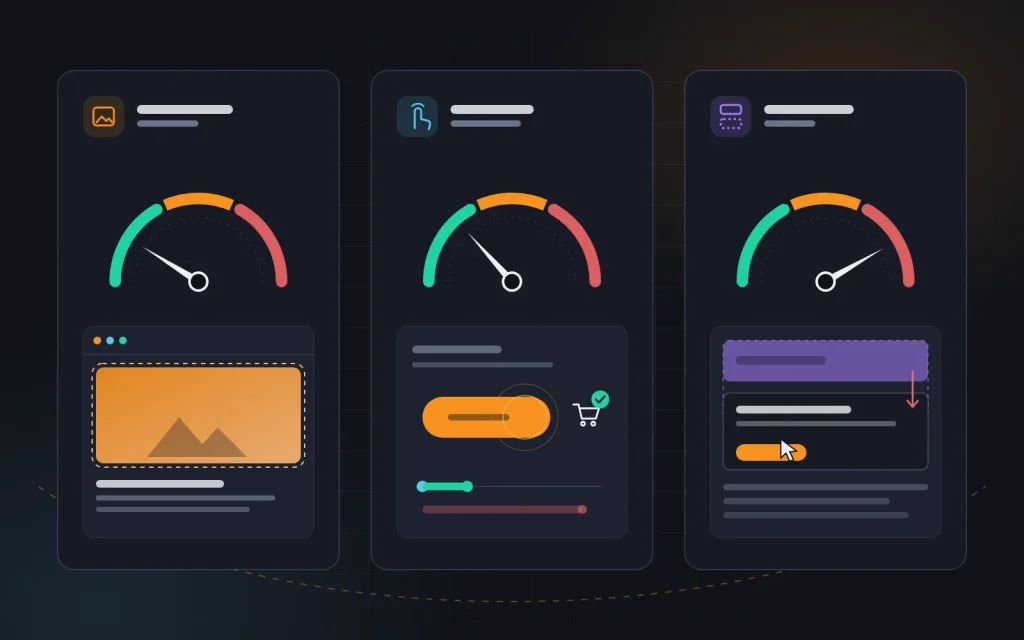
- LCP (Largest Contentful Paint) measures loading: how many seconds pass before the largest visible element of the first screen appears.
- INP (Interaction to Next Paint) measures responsiveness: how quickly the page visibly reacts to a click, a tap or a key press.
- CLS (Cumulative Layout Shift) measures visual stability: how much the blocks on the page move around while it loads and while someone uses it.
Why does this matter to a business? First, speed is part of the page experience signals Google takes into account when ranking pages. Keep it in proportion: useful content carries far more weight, and perfect metrics will not lift a weak page. But when sites are roughly equal in substance, technical quality can tip the balance. We covered which ranking factors genuinely move the needle, and which are overrated, in “SEO that actually works”.
Second, and more important to us, there is the money. A slow page loses some visitors before they have even seen the offer. An unresponsive button irritates; a banner that pushes a form down causes misclicks. Each of these small things lowers conversion, and you will see it in your analytics long before it shows up in rankings.
The three metrics and their thresholds
Google splits the results of each metric into three bands: “good”, “needs improvement” and “poor”. These are the thresholds we work towards on every project:
| Metric | What it measures | Good | Needs improvement | Poor |
|---|---|---|---|---|
| LCP | Appearance of the main element | up to 2.5 s | 2.5–4 s | over 4 s |
| INP | Response to user actions | up to 200 ms | 200–500 ms | over 500 ms |
| CLS | Layout stability | up to 0.1 | 0.1–0.25 | over 0.25 |
Two details that people often miss. First, the assessment is not based on the average but on the 75th percentile. A page counts as “good” only if at least three quarters of real visits stay within the threshold. If half your customers visit on older phones over mobile data, they decide the result, not your office broadband. Second, mobile and desktop are assessed separately, and mobile is almost always worse.
INP replaced an older metric, FID, which only measured the delay before the very first interaction. INP is stricter: it takes into account practically every tap and click during the whole visit. That is why some long-“green” sites suddenly got Search Console warnings after the switch without any changes on their side.
Field data versus lab data: why the numbers disagree
A common confusion: an owner runs PageSpeed Insights, sees two different assessments, then finds a third in Search Console. These are simply different kinds of data.
- Field data comes from real visitors using Chrome over the previous 28 days, collected in the Chrome UX Report. This is what Google uses to assess pages. In PageSpeed Insights it is the top section of the report, above the performance score.
- Lab data is a one-off Lighthouse test on an emulated device with a slow processor and a throttled connection. That is where the familiar “performance score” from 0 to 100 comes from. It is useful for diagnostics but is not used for ranking.
So a site can score 45 in the lab test and still have “green” field metrics, because real visitors use faster devices than the emulator. The opposite happens too. We look at field data first and use lab data like an X-ray to see which files and scripts slow things down.
One more nuance: INP cannot be measured in a lab test, because nobody clicks anything there. Instead, Lighthouse reports TBT (Total Blocking Time), the total time the browser’s main thread was busy. A high TBT almost always points to INP problems for real people.
Where to check the metrics:
- Search Console, Core Web Vitals report. It groups the site’s pages by type and shows which groups are “poor”. Small sites may lack enough data, leaving it empty.
- PageSpeed Insights. Field data for a specific URL or for the whole origin, plus a lab analysis with recommendations.
- Chrome DevTools, Performance panel. It shows LCP, INP and CLS live while you use the page yourself, and highlights the elements that shift.
- Your own data collection. The web-vitals library can send the metrics from every visit to Google Analytics 4 or another tool. This works even for pages with modest traffic.
LCP: how quickly the main content appears
LCP answers the question “when does the person see that the page has loaded?” The largest element on the first screen is usually the hero banner on the home page, the product photo on a product page, the cover image of an article or a large heading.
The first thing we do is find out which element actually is the LCP element on each type of page. PageSpeed Insights shows it in the diagnostics section, and DevTools shows it in the Performance panel. Sometimes the answer is surprising: on mobile it may not be the main photo at all, but the cookie consent box or a paragraph of text, because the photo becomes smaller on a narrow screen. The rest of the plan depends on it.
To understand what is slowing it down, we break LCP into four stages:
- Server response (TTFB): how long it takes for the first byte of HTML to arrive.
- Resource load delay: the browser does not find out early enough that the main image is needed, for example because it is inserted by JavaScript or set as a CSS background.
- Resource load time: the image itself is too heavy or comes from a slow server.
- Render delay: the file has already arrived, but the page does not show it because it is still waiting for styles, fonts or scripts.
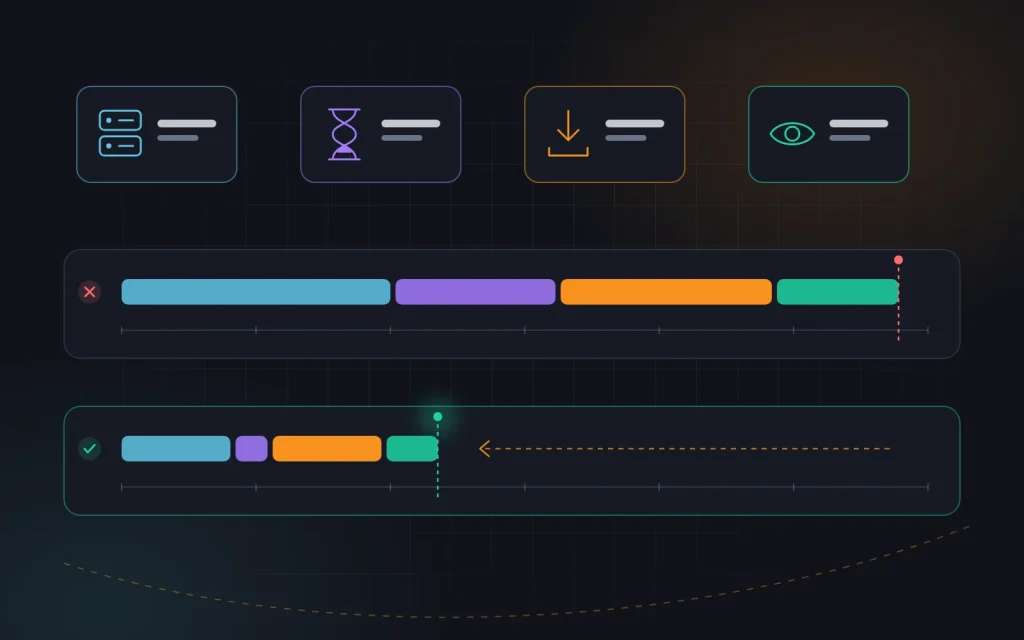
This breakdown shows where to dig. If half the time goes on the server response, compressing photos will not help much. If the server responds quickly but the image is stuck in a queue behind a dozen scripts, the fix is not new hosting but different priorities.
What we do most often:
- Speed up the server. Full-page caching, a current PHP version, an object cache for WordPress, a CDN for static files. If TTFB still regularly exceeds 600–800 ms, consider a better plan or host.
- Give the LCP image priority. A regular
imgtag in the HTML instead of a CSS background, thefetchpriority="high"attribute, and no lazy loading for anything on the first screen. A frequent mistake: a “speed” plugin addsloading="lazy"to every image, including the main banner, and LCP gets worse. - Cut the weight. WebP or AVIF formats and responsive sizes via
srcset, so that a phone does not download an image meant for a 4K monitor. - Remove render blocking. We inline the critical styles for the first screen, load the rest of the CSS and scripts later, and load fonts with
font-display: swapand preloading. - Simplify the first screen. A slider with five heavy banners, a video background or an animated intro are the most common LCP killers. One static banner with a clear heading is usually faster and converts better.
INP: how quickly the site responds to actions
INP is the least intuitive metric, so here is an example. A visitor taps “Add to cart”. Between the tap and the moment something changes on screen (a number appears on the cart icon, the button changes state, a panel opens) some time passes. INP records the worst of these delays over the whole visit. Above 200 ms, people feel the lag and often tap again.
The cause is almost always the same: the browser’s main thread is busy running JavaScript and cannot handle the tap in time. The browser is like a cashier with a single queue: while they are ringing up a huge order, the next customer waits with just a bottle of water.
Where all that JavaScript comes from:
- third-party scripts: live chats, callback widgets, ad platform pixels, maps, embedded videos, tag managers with dozens of tags;
- heavy themes and page builders that load all of their code on every page;
- catalog filters that rebuild the entire product list on every click;
- a huge number of elements on the page: mega menus with hundreds of items, hidden blocks, whole catalogs in the HTML.
What helps:
- An inventory of third-party scripts. We list everything that is connected and find out who added it and why. A typical find: pixels from long-abandoned ad accounts and two live chats at once.
- Deferred loading. A chat, map or video can be loaded only when the visitor scrolls to it or taps a placeholder.
- Breaking up long tasks. Code that runs in a single chunk for more than 50 ms is split by the developer into smaller pieces, so the browser can respond to the user in between.
- Instant visual feedback. First show that the tap has registered (the button changes state, a spinner appears), and do the heavy work afterwards.
- Fewer DOM elements. Fewer nodes mean faster recalculation after each action.
CLS: keeping the page from jumping
We have all tapped a link just as the text slid down because a banner loaded above it. That is exactly what CLS measures: the total size of unexpected layout shifts. Unlike the other two metrics, it is not a time but a unitless score: the bigger the block that moved and the further it moved, the higher the number.
Shifts that happen right after a user action, such as an accordion opening on click, do not count, because they are expected.
The most common causes and fixes:
| Cause | What we do |
|---|---|
| Images and videos without dimensions | Set width and height or a CSS aspect-ratio so the browser reserves the space in advance |
| Ad slots, banners, widgets | Reserve a fixed-height container for them, even while they are still empty |
| Cookie or promo bar at the top of the page | Show it as an overlay or at the bottom of the screen instead of inserting it above the content |
| Web fonts | Preload them and pick a fallback font with similar metrics so the text does not reflow |
| Content injected by scripts | Use a skeleton of the right height instead of empty space |
| Animations | Animate with transform rather than changing sizes and margins |
CLS is usually the easiest metric to fix. A few lines of CSS in a template often fix every page at once.
How to keep the results
Speeding up a site once is half the job; the harder part is keeping extra code out. So we agree a few rules with the client:
- Every new service gets checked first. Before adding a chat, a quiz or another pixel, look at how much code it pulls in and whether it can be loaded later.
- Images follow a standard. The content manager uploads photos in the right size and format, not a camera original of a dozen megabytes.
- Updates go to a staging copy first. A new theme or plugin version can bring back disabled scripts or change the layout of the first screen.
- Monitoring happens every month. The Search Console report and your analytics data reveal a regression before customers notice it.
We also keep a separate eye on the pages that make money: the enquiry form, the cart and the checkout. A slow response costs the most there, yet lab tests often skip these pages entirely.
What this looks like in practice
A typical situation: a service company’s WordPress site, a purchased theme with a page builder and twenty-odd plugins. Search Console marks most mobile pages as “poor” for LCP and INP. A caching plugin has already been tried, with little effect.
During the analysis we find the usual set: on the home page, a slider with large images where the first slide is lazy-loaded; a server that takes over a second to respond because the cache is not working for mobile visitors; scripts for forms, galleries and maps loading on every page, even though they are used on only two; two live chats and several old pixels.
Our sequence in cases like this: set up caching and confirm that it really serves ready-made pages; replace the slider with a static banner loaded with high priority; convert images to WebP at the correct sizes; disable plugin scripts where they are not needed; remove the extra chat and pixels and defer the remaining widgets; set dimensions on images and reserve space for the cookie banner. Then we wait. Field data updates gradually over roughly 28 days, so nothing in Search Console turns green overnight. Results vary by site, but such changes usually move most pages into the green band without a redesign.
Mistakes we see most often
- Chasing a score of 100. The lab score is a diagnostic tool, not a goal. We have seen sites push it to 98 by switching off analytics and enquiry forms.
- Five optimization plugins at once. They conflict, break the layout and often make things worse.
- Testing only on an office computer. Your real audience is on mid-range smartphones and patchy mobile connections. We wrote more about how sites are judged on their mobile version in “Succeeding with mobile-first indexing”.
- Optimizing only the home page. Traffic and leads often land on product pages, categories and articles, and those run on different templates.
- Adding widgets without checking. The site gets faster, then six months later marketing adds three new services and everything slides back.
- Expecting instant results. Field data builds up over weeks, so judging a change after a single day is misleading.
Quick checklist
- Open the Core Web Vitals report in Search Console and check mobile and desktop separately.
- Identify your main page templates: home, category, product, article, landing page.
- For each one, find the LCP element and make sure it is not lazy-loaded.
- Check TTFB: if it is consistently above 600–800 ms, start with the server and caching.
- List all third-party scripts and remove the ones nobody uses.
- Set dimensions for every image, video and ad slot.
- Send real-user metrics to your analytics so you can see the effect of each change.
- Check the data again after four weeks.
Frequently asked questions
Will my rankings drop if Core Web Vitals are “poor”?
There is no automatic drop. These metrics are just one of many signals, and the content of the page matters more. But in competitive niches the slow page loses, and conversions suffer regardless of rankings.
Why does PageSpeed show a low score while Search Console says everything is fine?
The PageSpeed score is a lab test on an emulated low-end phone. Search Console shows field data from real visitors. For Google’s assessment the field data is what matters, while the lab data helps you find what exactly to fix.
Can one plugin fix everything?
Partly. A caching and image optimization plugin covers the basics and often improves LCP noticeably. But INP and CLS mostly depend on the theme, the page builder and third-party scripts,, which takes hands-on work.
Do I need a redesign or a new site for this?
Usually not. We only recommend a rebuild when the theme or builder physically will not let you remove the excess code. If you are planning a new project, an online store for example, it pays to build speed in from day one, which is how we approach ecommerce development. For other technical growth points in online stores, see “Five tips for ecommerce SEO”.
Summary
Core Web Vitals boil down to three simple questions about your site: does the visitor see the main content quickly, does the site respond quickly to what they do, and does the page stay still? LCP problems usually come down to the server and a heavy first screen, INP problems to JavaScript and third-party widgets, and CLS problems to elements without set dimensions. Field data shows the problem; lab tests show what to fix.
Diagnose your templates first instead of hunting for a “magic” plugin. Speed is not a one-off project: every new widget or banner deserves a check so you do not end up back where you started.
If you would like us to work out what is slowing down your site, get in touch. We run audits and handle website speed optimization end to end, and when it makes sense we combine it with SEO services so that technical quality pays off in rankings and leads.
Next
Read more
Site migration without losing rankings
“We moved to a new website and our leads from Google disappeared.” A noticeable share of our audits start with that sentence. The story is familiar: a company changes its domain or moves from an old custom system to WordPress, OpenCart or Shopify, the new site goes live on a Friday evening, and two weeks […]
Redesigning a site without losing rankings
“We launched the new site, and a week later we were getting half the enquiries.” We receive emails like this more often than we would like. The new design looks better, the sales team is happy, and yet the graph in Search Console is slowly sliding down. The owner blames Google’s algorithms, but the cause […]
Need advice?
Tell us about the task — we will advise what to do, even if you end up working with someone else.