
Blog
WooCommerce, OpenCart or Shopify: which to choose
“Which platform should we build our store on?” is one of the first questions we hear from clients. Usually there is a friend’s advice behind it (“we run OpenCart and it works fine”), an ad (“launch on Shopify in an evening”) or habit (“our site is on WordPress, so WooCommerce it is”). Any of these […]
- 20 October 2026
- 16 min read

Articles
WooCommerce, OpenCart or Shopify: which to choose
“Which platform should we build our store on?” is one of the first questions we hear from clients. Usually there is a friend’s advice behind it (“we run OpenCart and it works fine”), an ad (“launch on Shopify in an evening”) or habit (“our site is on WordPress, so WooCommerce it is”). Any of these can turn out to be right. But you choose a platform for years, and moving later always costs more than choosing carefully at the start.
We have built and maintained stores on all three platforms and know where each one shines and where it gets in the way. Below we compare WooCommerce, OpenCart and Shopify on what actually affects a business: ownership model, flexibility, local integrations, SEO, speed and total cost over several years, followed by typical scenarios, a checklist and an FAQ.
Start with the model, not the platform: your own server or a rental
The main difference is not the admin panel but who owns the servers and code. WooCommerce and OpenCart are self-hosted: you install open-source code on your own hosting, you have full access to the files and the database, and you can change anything. Shopify is SaaS: you rent a ready-made service for a monthly fee, and the platform takes care of servers, updates and security.
Almost everything else follows from this choice:
| Question | Self-hosted (WooCommerce, OpenCart) | SaaS (Shopify) |
|---|---|---|
| Who is responsible for servers and security | You or your contractor | The platform |
| Access to code and database | Full | Only through the theme, settings and API |
| Recurring payments | Hosting, paid extensions, maintenance | Subscription, paid apps, fees |
| Custom business logic | Almost anything can be built | Within what the platform allows |
| Moving elsewhere | Copy the files and the database | Export the data; rebuild theme and logic |
Self-hosted is like owning your premises: do whatever you like, but the roof and the wiring are your problem too. SaaS is like renting a unit in a mall: you start selling right away, but you cannot move the walls, and the rent is due every month.

WooCommerce: the flexibility of WordPress
WooCommerce is a free WordPress plugin that turns a website into a store. It is the most widely used self-hosted option, with a huge ecosystem of extensions, themes, integrations and developers.
Strengths:
- Content and commerce in one place. WordPress is the most convenient system for articles, landing pages and buying guides. If you plan a blog and content-led SEO, this is a strong argument.
- Flexibility. Practically any logic, from subscriptions, bookings and product configurators to wholesale pricing and customer accounts, can be added with a plugin or custom code.
- Local integrations. Ready-made extensions exist for most popular carriers, payment providers, CRMs and tax receipt services, and when one is missing, it is relatively easy to build.
- Independence. The code and the data are yours. You can change hosting or contractors without asking anyone’s permission.
Weaknesses:
- Technical responsibility. Updating the core, plugins and theme, taking backups and protecting against hacks is ongoing work that someone has to do.
- Plugin sprawl. Every new extension adds page weight and another potential source of conflicts. We regularly see stores running fifty or sixty plugins, half of which are not even used.
- Performance with large catalogs. WooCommerce can handle tens of thousands of products with variations and complex filters, but only on good hosting, with proper caching and a well-planned architecture.
Who it suits: stores with anywhere from a few dozen to tens of thousands of products that care about content, need custom logic or want full control over the site. Especially businesses that already run their website on WordPress.
OpenCart: a lightweight catalog out of the box
OpenCart is a free, open-source platform built specifically for online stores. Unlike WooCommerce, it does not need a separate CMS: the catalog, cart, checkout, discounts, multiple currencies and languages are all there right after installation. OpenCart has long been popular in Eastern Europe and several other regions, so in those markets there are plenty of developers and ready-made extensions for local carriers and payment providers.
Strengths:
- Everything a store needs, out of the box. A basic shop can go live without a single extra extension.
- Modest hosting requirements. For small and mid-sized catalogs on ordinary hosting, the OpenCart core runs reasonably fast.
- Several stores from one admin panel. Multi-store is built in, so you can run several storefronts that share one product database.
- A simple admin panel for managers. Anyone who has worked with any online store will find their way around it within a day.
Weaknesses:
- Compatibility between versions. The 2.x, 3.x and 4.x branches differ significantly, and extensions written for one often do not work on another. As a result, many stores stay on an outdated version for years, because upgrading means rebuilding a large part of the site.
- Uneven extension quality. Many extensions come from small teams or individual developers. Some are well made; others clash with each other and slow the site down.
- Weak content tools. A blog and flexible landing pages usually require additional solutions, and they still fall short of WordPress.
- SEO needs extra work. Basic friendly URLs and meta tags are there, but proper canonicals, multilingual setup, indexable filter pages and title templates almost always require extensions or custom code.
Who it suits: classic catalog stores with little content that want a fast, inexpensive start on their own hosting and will be disciplined about versions and extensions.
Shopify: a quick start with no server to manage
Shopify is a cloud platform where you install nothing. You sign up, choose a theme, add products, connect payments, and the store is live. Hosting, SSL, updates, resilience under heavy load and compliance with payment-card security standards are all handled by Shopify.
Strengths:
- Minimal technical overhead. No need to think about servers, core updates or code backups.
- Stability under load. A big sale or a viral ad will not take the site down because of weak hosting.
- Strong checkout and cross-border selling. A polished checkout, multiple currencies, language versions and selling to different markets from one store.
- A large ecosystem of apps and themes. Most typical tasks can be solved with a ready-made app.
Weaknesses:
- Recurring costs grow with the store. There is the subscription, paid apps (often each with its own monthly fee) and, if you use a third-party payment gateway, an extra platform fee on every sale. Shopify Payments, which removes that fee, is not available in every country, so check this for your business before you commit.
- Structural limits. URLs have fixed prefixes (
/products/,/collections/,/pages/), you cannot build nested category paths, and some technical settings simply cannot be changed. - Local services. For regional carriers, payment providers and tax compliance tools, the choice of apps can be much narrower than for WooCommerce or OpenCart, depending on your market. Verify this before you start.
- Platform lock-in. You can export products, customers and orders, but the theme, app logic and settings have to be rebuilt from scratch if you move.
Who it suits: brands that sell internationally, stores with a small team and no in-house developer, and anyone for whom launching quickly without managing servers is the top priority.
Side-by-side comparison
We have put the essentials into one table. The ratings reflect our hands-on experience, not official rankings: a lot depends on the specific theme, extensions and who builds the store.
| Criterion | WooCommerce | OpenCart | Shopify |
|---|---|---|---|
| Model | Self-hosted, open source | Self-hosted, open source | SaaS, subscription |
| Time to launch | Medium | Medium | Fast |
| Custom logic | Almost unlimited | Broad, but harder to maintain | Limited to what the platform allows |
| Content and blog | Its strongest side | Weak without extra work | Basic blog |
| Local shipping and payments | Wide choice of extensions | Wide choice of extensions | Narrower, check in advance |
| SEO control | Full | Full, with extra work | Partial |
| Technical maintenance | Regular, on your side | Regular, on your side | Minimal |
| Moving to another platform | Relatively easy | Relatively easy | Harder |
Notice there is no “best platform” row. That is why we start not by comparing platforms but by listing what your store actually needs.
Total cost of ownership: count three years, not the launch
The most common mistake is comparing launch prices alone. “WooCommerce is free and Shopify is paid” sounds logical, but the only free thing here is the code. For a fair comparison, we recommend calculating the total cost of ownership over two to three years. Here is what it is made of:
- Development and design. The theme, brand customization, catalog setup and product import.
- The platform itself. For Shopify, a monthly subscription; for self-hosted, nothing, but hosting comes next.
- Hosting and domain. For WooCommerce and OpenCart, good hosting is not the place to save money: site speed depends on it directly.
- Extensions and apps. Self-hosted platforms tend to have one-off purchases or annual licenses; on Shopify, apps are usually monthly subscriptions.
- Fees. Payment providers charge their own fees on any platform; on Shopify with a third-party gateway, a platform fee is added on top.
- Maintenance and updates. Updates, backups, monitoring and fixing conflicts mean a specialist’s hours every month.
- Further development. New features, integrations, changes for promotions. The more flexible the platform, the cheaper each new task.
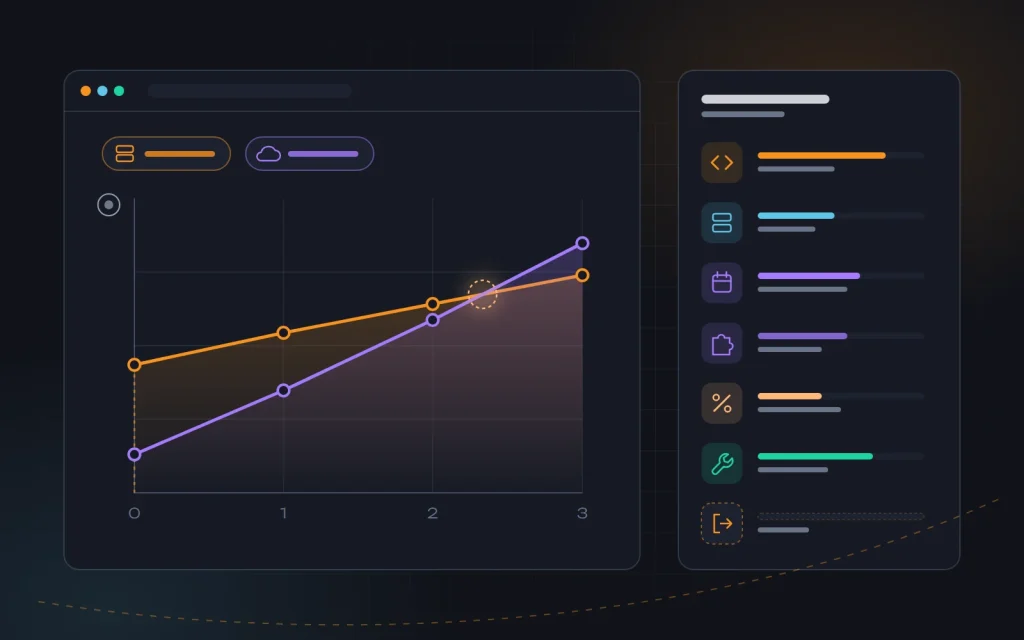
The pattern we see in practice: Shopify has a lower barrier to entry, but monthly costs rise with the number of apps and sales volume. WooCommerce and OpenCart cost more to launch and maintain, but depend less on turnover. So for a small store testing a niche, Shopify is often the better deal, while for high turnover and complex logic, self-hosted tends to become cheaper over time. Pricing plans change regularly, so we calculate exact figures per project.
One item almost nobody budgets for is the exit cost: what will a move cost if the platform stops working for you? For self-hosted, it means moving the database and reworking templates; for Shopify, rebuilding the whole storefront. It never shows up in the estimate, but it is very real.
SEO and speed: what is possible on each platform
A store can rank well on any of the three; the difference is the effort and where you hit limits. We covered the core principles (structure built around demand, unique product pages, controlled filters) in our article “Five tips for ecommerce SEO”. Here is what is easy or hard on each platform.
- WooCommerce. The most freedom: title and description templates, canonical URLs, structured data, control over which filter pages are indexed, multilingual setup. Everything can be configured with plugins or code. The main risk is speed: a heavy theme and dozens of plugins can cancel out all your SEO efforts.
- OpenCart. The core is fast, but SEO out of the box is basic. Canonicals for filters, meta tag templates, correct language versions and structured data usually need extra work. A typical issue we fix is duplicate product pages reachable through several URLs via different categories.
- Shopify. The technical foundation is stable and fast, and SSL and a CDN come with no effort. But the URL structure is fixed, products have several addresses (via a collection and directly, with a canonical pointing to the main one), and some technical settings cannot be changed. For most stores this is not critical; for large catalogs with complex filtering, it can become a real constraint.
On all three platforms, the basics we described in “On-page SEO basics” matter equally: a clear structure, unique meta tags and correct indexing. On self-hosted platforms, speed almost always comes down to hosting, the theme and the number of extensions, which is what we tackle in our website speed optimization work.
If you plan to sell in several countries and languages, check in advance how the platform handles language versions and hreflang tags. For more on language versions, see our article “SEO in English-speaking markets”.
How we choose a platform together with a client
We do not have a “favorite” platform for everyone. Instead, we ask: how many products now and in two years; one country or several markets; which carriers, payment providers, accounting tools and CRM must be connected; is there non-standard logic; is a blog planned; who will maintain the site after launch. Here are three typical scenarios.
Scenario 1. A small store testing a niche
A few dozen products, one person doing everything, and a launch needed within weeks to test demand. Here we often recommend Shopify or a simple WooCommerce store on a ready-made theme, depending on how critical local shipping and payments are and whether the owner wants to invest in content. The key is not to sink a large budget into the platform before the business model is proven.
Scenario 2. A large catalog selling in the home market
Several thousand products, imports from an inventory or accounting system, complex filters, several carriers, a CRM and tax compliance. Here we usually go with WooCommerce on quality hosting, or OpenCart if the team already works with it and there is little content. Full control over the code lets us build integrations exactly as needed, and indexable filter pages without platform limits.
Scenario 3. A brand selling internationally
A small range of own products, customers in several countries and currencies, a focus on design and ads. Here Shopify’s strengths (checkout, multi-currency, stability under traffic spikes) really pay off. The alternative is WooCommerce, if you need a rich content section or very specific logic.
Whatever the scenario, we recommend one more simple step before the final decision: a test with real data. Set up a demo store or a free trial, load twenty or thirty of your real products with variants, connect one carrier and one payment method, and walk through the buyer’s journey on a phone. Then ask your store manager to add a product and process a test order. A few hours of this reveal more than a week of reading reviews, while a wrong platform choice can take months to fix.
Mistakes to avoid
- Choosing on a friend’s recommendation. A platform that was perfect for another business may be completely wrong for yours.
- Counting only the launch price. Within a year or two, monthly fees and maintenance can exceed the initial budget several times over.
- Not checking integrations in advance. Finding out after launch that you cannot connect the carrier or payment provider you need is the most expensive scenario of all.
- Installing an extension for every little thing. Every plugin or app adds weight, a risk of conflicts and, on SaaS, yet another subscription.
- Staying on an outdated version. Especially relevant for OpenCart: the longer you put off an upgrade, the more it costs.
- Migrating without a redirect plan. Switching platforms without preserving URLs or setting up 301 redirects is the fastest way to lose organic traffic.
A short checklist before you choose
- Write down how many products you have now and your forecast for two years.
- List the integrations you cannot do without: shipping, payments, accounting, CRM, tax compliance.
- Check whether ready-made extensions or apps exist for them on each platform.
- Decide whether you need custom logic and content marketing.
- Calculate the cost of ownership over two to three years, not just the launch.
- Decide who will be responsible for updates, backups and security.
- Estimate what a move would cost if the platform stops working for you.
Frequently asked questions
Which platform is best for SEO?
WooCommerce and OpenCart give you the most control, because you can change any URL, template or indexing rule. But Shopify stores rank well too when the structure, product pages and content are done properly. The quality of the work on the store affects results far more than the platform’s name.
What about local SaaS platforms?
In many markets there are regional SaaS store builders that work on the same model as Shopify but integrate better with local carriers and payment providers. For a store that sells only in one country and needs no custom logic, they can be a solid option. The selection principles are the same: calculate the cost over several years and check the structural limits.
Can we switch platforms later?
Yes. Products, customers and orders can be moved to any of the three. Design, extension logic and SEO are harder: keep the same URLs or set up 301 redirects for every page with traffic. We do such migrations, but always weigh whether the goal is worth the risk.
Do I need a developer if I choose Shopify?
Not for a simple store on a ready-made theme. For theme customization, custom integrations, speed and SEO, you will still need one. On WooCommerce and OpenCart, a store without technical maintenance after launch quickly becomes vulnerable.
Summary
WooCommerce offers flexibility, content and full control at the price of regular technical maintenance. OpenCart is a lightweight catalog store out of the box that demands discipline with versions and extensions. Shopify is a fast start with no servers and strong cross-border selling, at the price of monthly fees and structural limits. The right platform is the one that covers your integrations, supports your logic and costs the least over several years.
If you are choosing a platform for a new store or thinking about migrating, get in touch with us. We will help you calculate the cost of ownership for your situation, handle ecommerce development on the platform you choose and lay the groundwork for SEO from day one.
Next
Read more

Brochure site, corporate site or landing page?
“We need a website.” That is how most first conversations with our clients begin. The next question often stops a business owner in their tracks: what kind? Some want “a quick, cheap landing page”, others “a proper corporate site like the big companies have”, others “just a brochure site with our contacts”. The format usually […]

How to write a website specification
“We need a modern website, like our competitors have, only better.” Many of our first client conversations start this way. The owner knows the business inside out but has no reason to know what a website is made of. The trouble is that everyone on the project pictures that “modern website” differently: the designer sees […]
Need advice?
Tell us about the task — we will advise what to do, even if you end up working with someone else.