
Blog
SEO for web development agencies
The hardest niche a studio can rank in is its own. Here is what works there.
- 14 September 2026
- 17 min read
Articles
SEO for web development agencies
The cobbler’s children have no shoes, and web studios know this better than anyone. We spend every day promoting client websites, while our own site can sit on the back burner for years: a portfolio updated twice a year, a silent blog, and a “Services” page made of six icons and “a tailored approach.” Yet this is where a studio faces the toughest competition imaginable. Queries like “web development” are fought over by people who understand SEO as well as you do — alongside directories, rankings, freelance marketplaces, website builders, and online courses.
We’ve been through this with the WebTerra site, and we’re still going through it. This article covers what, in our experience, actually works for a web studio’s own website: service pages by type and by city, the portfolio as an SEO asset, pricing pages, expert content, reviews, local SEO, and links from client sites. And separately, what doesn’t work or does damage, even though it’s still everywhere in the niche.
Why your own site is a studio’s hardest niche
When we promote a plumbing supplies store or a dental clinic, most competitors aren’t doing SEO in any systematic way. In web development it’s the opposite: almost every competitor on page one knows what keyword research, internal linking, and structured data are. Basic technical fixes that would produce noticeable growth in another niche only bring you level with everyone else here.
The second difficulty is mixed search intent. Someone typing “website creation” might want a studio, a site builder, a course, a job, or a DIY guide. The results page blends all of that, leaving studios only part of it. So fighting only for a few big head terms is expensive, with modest returns.
The third difficulty is trust. Nobody commissions a website worth several thousand dollars after one visit. A prospect compares studios, studies their work, reads reviews, looks for prices, and returns a week later. So a studio’s site has to persuade at every step, not just rank. Our strategy rests on one conclusion: the winner isn’t the studio with the strongest homepage copy, but the one with the most useful pages for specific queries and the most convincing proof of its work.
Service pages: by website type and by city
A single “Web development” page can’t answer every query in the niche. Someone who needs an online store searches differently from someone who needs a landing page or a corporate site. So we build the foundation of the structure as a matrix: service × website type × (where relevant) city.
Here is a typical studio site structure that we consider effective:
| Level | Example pages | Target queries |
|---|---|---|
| Core services | Development, SEO, speed optimization, maintenance | Broad service queries |
| Website types | Online store, landing page, corporate site, catalog | “ecommerce website development,” “landing page design” |
| Industries | Sites for clinics, law firms, manufacturers, hospitality | “dental clinic website,” “website for a manufacturer” |
| Platforms | WordPress, WooCommerce, Shopify, custom builds | “WooCommerce store development” |
| Cities | Only where you genuinely operate | “web design [city],” “SEO agency [city]” |
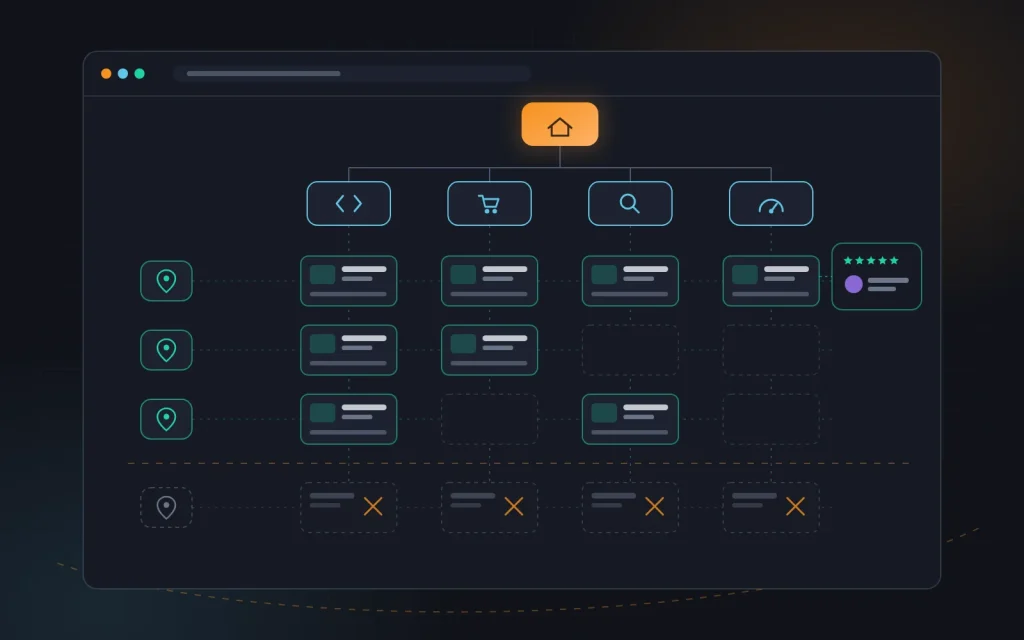
Every service page on our site shares the same skeleton but has different content: who the service is for, what the work includes, stages and timelines, an indicative price or price range, portfolio examples of that exact type, reviews from clients in the same category, answers to common questions, and a clear call to action. For an example, look at how we built our ecommerce development page: there’s no generic talk about “modern design,” but there is a process, a scope of work, and projects specifically from e-commerce.
City pages are the slipperiest spot in the niche. The temptation is obvious: copy the “Web development” page twenty times and swap the city name. Search engines class these as doorway pages and demote the whole site for them. Our rule: a city page earns its place only if it says something genuinely about that city — an address or local representative, projects for local businesses, reviews from clients there, how meetings work. If there’s nothing to say, one strong general page beats twenty empty ones.
We covered how to decide which pages to create first in detail in “Building a keyword map”. For a studio, the logic is the same: collect the queries, group them by what the search results show, and if Google returns different pages for “turnkey landing page” and “corporate website,” you need two different pages as well.
Connecting these pages matters just as much. We build internal linking as a triangle: a service page links to case studies of that type and to articles answering client questions; a case study links back to the service and to similar projects; an article points to the service when the reader is ready for the next step. The main menu holds only core services, while industries, platforms, and cities are reachable from the hub pages and the footer. Link equity isn’t scattered, and a visitor is two clicks from an inquiry form on any page.
One more often-skipped detail: every service page needs a unique title and meta description, not a template like “Web studio services.” In a niche where ten similar studios sit side by side, a specific snippet such as “Turnkey WooCommerce store: stages, timelines, pricing” clearly outperforms generic phrasing.
Portfolio and case studies as SEO assets
For most studios, the portfolio is a grid of attractive screenshots with the client’s name. That looks nice to a person, but to a search engine it’s nearly empty: images without text don’t answer any query. We treat every portfolio item as a standalone landing page that can bring in traffic and close an inquiry.
What a case study page should include:
- Context. Industry, website type, what the client came with, and why the old solution wasn’t working.
- Goal. Specific objectives: more inquiries, migrating a catalog, speeding up the mobile version.
- Solution. What we did and why we did it that way: structure, design, platform, integrations.
- Process. Stages, timelines, what turned out to be hard — that kind of honesty persuades better than polish.
- Outcome. Only the figures the client has allowed us to share and that can be verified. If there are no figures, we describe the qualitative changes.
- Visuals. Desktop and mobile screenshots with meaningful alt text, not “image-1.jpg.”
- Connections. Links to the relevant service page and to similar case studies.
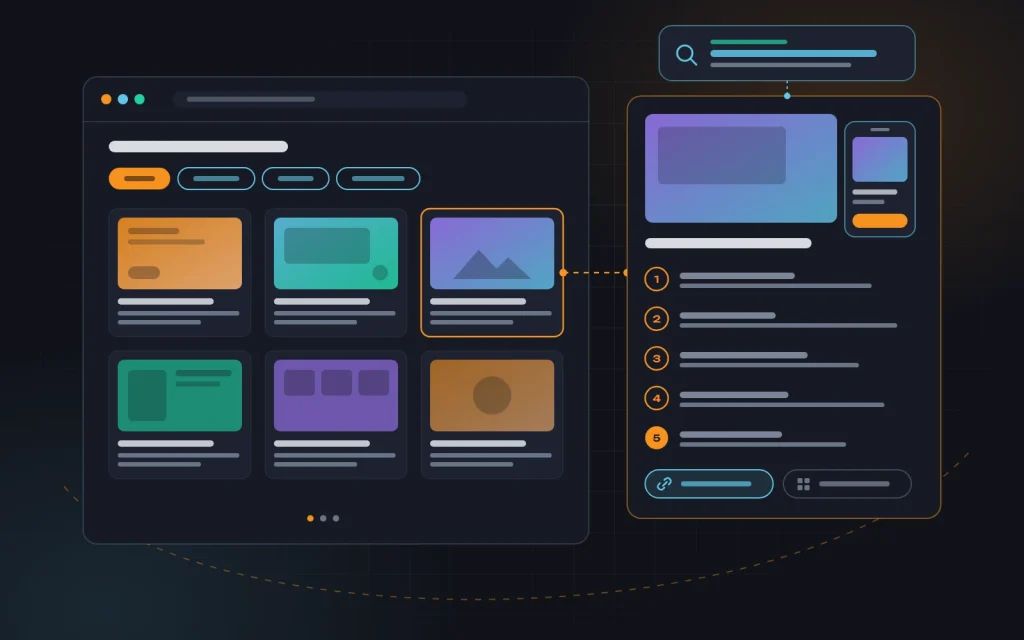
A case study like this starts ranking for queries such as “clinic chain website example” or “furniture store on WooCommerce,” and, more importantly, works as evidence on the service page. We filter the portfolio by industry and website type, and every filter with real demand becomes an indexable page with its own heading and short introduction. A “Healthcare websites” page with five detailed case studies is a ready-made landing page for clinics.
The portfolio also has to stay alive. Five-year-old projects with dated design do more harm than good. We regularly refresh screenshots, remove sites the client has since rebuilt, and add new projects with a write-up, not just an image.
Pricing pages: answer the main question
“How much does a website cost” is one of the most common questions prospects bring to us. It’s also a query most studios dodge: “the price depends on the project, leave a request.” The user keeps searching, and the search engine sees an unanswered question.
We’re convinced prices should be shown — at least as ranges. A good pricing page includes:
- base packages or “from–to” ranges for the main website types;
- an explanation of what drives the price: design, number of templates, integrations, content, multiple languages;
- what’s included and what’s billed separately (hosting, licenses, copywriting, photography);
- portfolio examples in each price range;
- a simple calculator or brief that gives a ballpark without a sales call.
A page like this captures queries such as “website development cost” or “how much does a landing page cost,” and filters out prospects whose budget will never match yours. We’ve noticed that after publishing open ranges, inquiries don’t drop — but conversations become more concrete, because people arrive already knowing the order of magnitude.
Expert content, not “10 web design trends”
Studio blogs are often filled with whatever is easy to write: trends, font roundups, industry news. That attracts other designers and students, not buyers. We write for people who purchase websites and SEO, answering the questions we hear in meetings:
- how to choose an ecommerce platform and when it’s worth switching;
- what to prepare before ordering a website so you don’t overpay;
- how to migrate to a new site without losing rankings;
- why a site is slow and what to do about it;
- how to check an SEO contractor’s work.
Each of these articles leads naturally to a service: a piece about a slow site ends with a link to website speed optimization, a piece about migration — to development. The knowledge base you’re reading right now is exactly that kind of effort. How we plan articles and check that they answer real queries is covered in “Writing content for your website”.
Another strong signal for search engines and people alike is visible expertise. Name each article’s author and their role at the studio. Write from your own projects, not retold reviews. Original screenshots, audit diagrams, mistakes you’ve fixed — all of that is hard for competitors to copy.
Reviews and local SEO
For a studio that works with clients in specific cities, local search is one of the most accessible sources of inquiries. Queries like “web studio near me” or “web development + city” often trigger a map pack, and getting into it is easier than reaching the regular top results for the main head term.
What we do for a studio’s local SEO:
- A Google Business Profile with the right category, a real address, opening hours, photos of the team and office, a list of services, and regular posts.
- Consistent contact details everywhere. Name, address, and phone number on the site, in profiles, directories, and social networks should match character for character.
- Organization and LocalBusiness markup on the site, with the same data.
- Profiles on relevant platforms where buyers genuinely look for contractors — agency ratings, agency directories, industry communities.
We collect reviews systematically, not “whenever we remember.” The best moment is right after launch, when the client is happy. We send a direct link to the Google profile or platform via email, WhatsApp, Viber, or Telegram — whatever the client uses — and ask them to describe the task and outcome in their own words. That beats “all great, highly recommend”: it contains the words other people search with.
On the site, we place reviews next to the relevant case studies and on service pages, with the person’s name, job title, and a project link. Video testimonials are even more persuasive. What we never do is write fake reviews, for ourselves or for clients: in a niche where buyers vet contractors carefully, one exposed fake wipes out years of work.
Links from client sites: doing it right
Every studio has a resource no other niche has — dozens of websites it has built. Hence the classic footer credit “Website by Studio X” with a link. Does it work? It works if you’re careful, and it hurts if you overdo it.
The problem is scale and anchor text. A footer link is repeated on every page of the client’s site: on an online store, that’s thousands of identical links from one domain. If the anchor is commercial on top of that — “web development [city]” — the search engine sees a textbook manipulation pattern. Google’s spam policies explicitly mention widely distributed footer and template links with keyword-rich anchors.
Here’s how we handle it:
- A branded anchor, or simply the studio name or logo. No keywords in the link text.
- A nofollow attribute on footer links in the template — the safe option that keeps the recognition and the clicks without creating risk.
- One meaningful link instead of thousands: a mention on the client’s “About” page or in a news post about the site launch, with a short description of the work.
- Client agreement. We add a link only with permission and remove it on the first request. The site belongs to the client, not the studio.
- Natural mentions through joint content: the client writes about their new site on their blog, we write the case study, and the two pages link to each other.
Beyond client sites, we earn links through conference talks, guest articles in industry media, surveys, rankings, and comments for journalists. These build up slowly, but they create authority that’s hard to replicate.
What doesn’t work or does damage
These are the mistakes we see most often in the niche — and some of them we once tested on ourselves.
- City doorway pages. Dozens of identical pages with only the city name swapped. They don’t rank for long and drag the whole site down.
- Keyword anchors in client footers. Thousands of identical commercial links are a direct route to a penalty.
- A portfolio without text. A screenshot gallery answers no queries and doesn’t explain why you’re better.
- “Price on request” everywhere. Prospects leave for a studio that shows at least a range.
- A blog for peers, not buyers. Trends and roundups attract traffic that will never turn into an inquiry.
- A slow studio website. Heavy animations, background video, and a dozen fonts. A buyer who wants a fast site draws conclusions in seconds.
- Chasing only the biggest head term. Rankings for “website creation” feel great, but most inquiries come from more specific queries: website type, industry, platform, city.
What this looks like in practice
Here’s a typical situation we see with studios that come to us for advice — and one we once went through ourselves. A site with a homepage, a generic “Services” page, a gallery of projects without descriptions, a contact page, and a blog whose last post was written long ago. The site shows up for its brand name and for nothing else. Inquiries come only from acquaintances and ads.
We start with keyword research and structure: we pick the 5–8 key website types and services and create a page for each, with process, pricing, and examples. Next, we turn the strongest 10–15 projects into full case studies and add portfolio filters by industry. Then come the pricing page, the Google Business Profile, and review collection, and only after that the blog and link building. New service pages and case studies usually start getting impressions within a few weeks of indexing; a steady flow of organic inquiries takes a few months. Exact timelines depend on the city, the competition, and the studio’s investment in content. For more on realistic expectations, see “Growing traffic in six months”.
A short checklist for a studio website
- A dedicated page for every important website type and service.
- City pages only where you have a real presence and something to say.
- Every case study as its own page with goal, solution, and outcome.
- Portfolio filters by industry, each with its own heading.
- Open prices or ranges, plus an explanation of what drives them.
- A blog that answers buyers’ questions.
- A Google Business Profile and consistent contact details everywhere.
- Reviews with names and links to projects.
- Branded anchors or nofollow in client site footers.
- A fast, technically clean site as your calling card. The basics are covered in “On-page SEO basics”.
Frequently asked questions
Is SEO worth it for a studio if inquiries already come through referrals?
Referrals are a great channel, but they don’t scale and they depend on a handful of people. Besides, even a referred prospect checks the studio in search: they look at the portfolio, the reviews, the prices. A strong site helps you close those inquiries too.
How many city pages can we create?
As many as there are cities where you have real clients, projects, a representative, or a genuine willingness to travel for meetings. If you work remotely across the whole country or several markets, it’s better to say so clearly on the main page than to create dozens of identical copies.
Should we remove links from the footers of old client sites?
There’s no need to delete everything wholesale. But if those links use commercial anchors, we recommend switching them to branded anchors or adding nofollow — this can be done gradually, by agreement with each client.
Can we show projects covered by an NDA?
Only with the client’s permission. A compromise is often possible: a case study without the brand name, with a general description of the industry and the task, and anonymized screenshots. A case study like that still answers queries and demonstrates your expertise.
Summary
A studio’s website competes with people who know SEO as well as you do, so there are no easy wins here. What wins is consistency: dedicated pages for real queries, a portfolio that tells stories, open pricing, expert content, reviews, and careful link building. Each of these elements does little on its own; together they create a site that both ranks and persuades.
If you’re a studio, an agency, or a freelancer and you’d like a fresh pair of eyes on your website, get in touch. We’ll run an audit and propose an SEO plan built on what we’ve tested on our own site.
Need advice?
Tell us about the task — we will advise what to do, even if you end up working with someone else.